Showing posts with label timdifford. Show all posts

Sunday, 16 May 2010

FutureEverything

0 comments
Attending Manchester's FutureEverything Festival is becoming a habit. This years's event is just coming to an end and again I was along for the ride.

Sadly, I only got to the Conference and not any of the Art or Music events... I'm particularly gutted to have missed Plaid at Victoria Baths. So, for my highlight I must choose from the list of diverse speakers who came to Manchester (as well as cities around the world hooked up by the GloNet experiment).

For me, session which captured the essence of FutureEverything and its heady mix of art, culture and technology was delivered by Shawn Micallef from Toronto. His session told about the Murmers project which has been running for several years in several city suburbs across North America.

Signs posted at key locations around the city invite passers-by to dial a number and share their stories and memories of that specific place. Visitors to that spot can then dial in to the service to listen to all recorded anecdotes associated with that location.

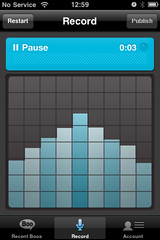
The project was established several years ago and predicted a future of geo-location enabled social media which be are familiarising ourselves with today. It reminded me a little of AudioBoo which captures audio snippets from smartphone owners around the world, making them immediately available to global listeners and forever tagging each sound file with the location where it was recorded.

I'd love to see a collaboration between the two projects.
Reflection of the Printworks, Manchester BlogBooster-The most productive way for mobile blogging. BlogBooster is a multi-service blog editor for iPhone, Android, WebOs and your desktop

Monday, 10 May 2010

How Green Is My Google?

0 comments

Great infographic from Intac:

The iPod Revolution

0 comments
Great infographic from Mashable:

The iPod Revolution
[Source: Online MBA for Mashable.com]

Tuesday, 4 May 2010

Some tips on the use of social media by artists and musicians

0 comments
I recently gave a guest-lecture at Liverpool's Institute for the Performing Arts (LIPA) for a bunch of under-graduates who'd recently returned from assignments working in and around the music industry.


One of the students followed up with some further questions to contribute to her work on her dissertation. Here are my responses. I don't doubt that she asked many others... I'd be very interested in their responses too.

What are your opinions on management using social networks to promote an artist?

I think that management using social networks to promote an artist is unavoidable at the moment for a variety of reasons. The artists themselves might genuinely be too busy, may be unfamiliar with social media etiquette or amy be something of a liablility... who knows what they're going to say next!?!

Do you think that on sites such as Twitter that artists should ‘tweet’ and blog themselves or should their PR take control?

The question is, is the management pretending to tweet as the artist, or is the Twitterfeed, Facebook page clearly seen as a place to go to for updates on the artist?

Management pretending to tweet as the artist might have some short-term advantages... it ensures that the artists doesn't say anything too controversial, tweets are aligned with any overall marketing, social media campaign, etc etc. In the long run though, social media users can be a pretty savvy bunch and will rumble a false popstar, which could dimish credibility and at worst result in a backlash.

My view would be that it's better for the artist to do it themselves if they can, provided they are aware of how it works and the security risks around location-based services etc.

Good advice for artists when chatting with fans is, yes do reply to messages, but no more than once or twice in any conversation to any unknown fan.
Remember, for a fan any response from an artist is exciting... a common reaction is for that fan to think they're your best mate and try to start an extended conversation. Limit the engagement. @jason_manford does this very very well - he asks questions of his followers, answers them and recognises and respects their humour, but limits any one conversation to a few tweets. It doesn't mean, he won't ever reply to an individual again - I'm sure he doesn't maintain a list of everyone he's spoken to, it just means you're not going to monopolise his time all day.

Do you agree that social networks should be used for direct marketing, if so, what are your opinions on people regarding this marketing as a form of Spam?

Yes they should, provided that users can turn it off or unfollow to avoid being spammed. Users may follow a news-source for frequent updates on a product... that's their choice. However, being spammed is bad news. I think using Twitter for Direct Marketing is like trying to squeeze an old world business model into the new social world... as a result it is something of a blunt instrument at the moment. Businesses will eventually learn how to use it more effectively, by listening to, reacting to and collaborating with customers.

What do you consider the dangers of using social media to promote an artist?

The artist's privacy and security can be threatened via careless use of location based services, giving too much information, etc. Can promote stalkers. Artists can also get in trouble with the law by defaming others with careless talk. That said, with some basic training and common sense, the benefits of getting closer to users can add real value to the artist over time.

What measures do you/would you put in place to combat these dangers?

Social media training for artists that need it from social media experts not run-of-the-mill outbound PR types. Proxy tweeting from social media experts as part of an initial coaching/mentoring programme... to be transitioned to the artist asap. Management access to the artists passwords at all times! Everyone can make mistakes... sometimes action must be taken in minutes.

Are there any circumstances in which you would not use social media to connect with fans to market directly?

In such a rapidly evolving environment, I think it's unwise to say never. However, right now I think artists, labels and brands need to take advice around any campaigns which might compromise anyone's privacy or safety, whether that be the artist or the customer. Data security needs to be a big consideration in any social media 'transaction'.

Here's an AudioBoo of the same:

Monday, 26 April 2010

To The Next Web

0 comments
Last minute prep and packing small for an early morning flight across to Amsterdam for The Next Web Conference - their fifth... my first!

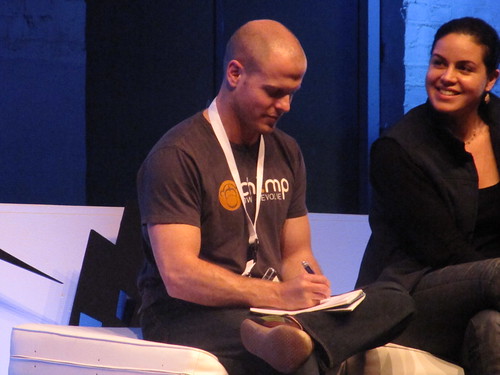
It'll also be my first chance to meet a number of the other TNW writers and editors from around the globe plus a great mash-up of visitors and speakers, including Tim Ferriss, author of The Four Hour Work Week.

It's going to be a work hard/play hard few days with quite a bit of social stuff happening around what promises to be a great conference, culminating in Queens Day celebrations across the city on Thursday.

I hope to blog here and on The Next Web, but mostly I want to immerse myself in the event and meet some people who are creating new and exciting stuff.

New Social Media Blog

0 comments
Check out the Intro Video to the SocialITe. It's a new Social Media blog being kicked off by Computing's Mark Kobayashi-Hillary.

Monday, 21 December 2009

My Albums of 2009

0 comments

OK, here goes.

Ask me again tomorrow and I'll probably pitch up a different list...


  1. The xx - xx [Spotify]

  2. Fever Ray - Fever Ray [Spotify]

  3. The Unthanks - Here's The Tender Coming [Spotify]

  4. Prefuse 73 - Everything She Touched Turned Ampexian [iTunes]

  5. Fuck Buttons - Tarot Sport [iTunes]

  6. Tortoise - Beacons Of Ancestorship [iTunes]

  7. Broadcast & The Focus Group - Investigate Witch Cults Of The Radio Age [iTunes]

  8. John Mayer - Battle Studies [Spotify]

  9. Cluster - Qua [Spotify]

  10. nsi - Resident Advisor Podcast 162 [RA]

Tuesday, 1 December 2009

Appetite... Part 7

0 comments
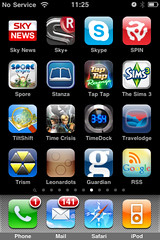
OK, after a brief intermission I'm back with the Appetite series where I take you through a whistlestop tour of the apps currently residing on my iPhone's homescreen.

Homescreen 7 kicks off with Sky News which serves up news headlines including sports, business, politics, world, etc. You can set it up for alerts, but these are delivered by SMS not as push notifications. Also, there's little in the way of integration with other services such as Twitter, Delicious, etc, but that's hardly surprising given Murdoch's stance on free content. The app includes the latest video snippets for Headlines, Showbiz and Weather, along with a Radio Bulletin. There's also an option for you to upload your own on-the-spot news report direct to the Sky News Room including photographs.

Next up, another Murdoch product. This time the Sky+ app. Interestingly, this wasn't the first Sky + Electronic Programme Guide to hit the app store and not even the first to enable you to log in remotely to record programmes on your box at home. That honour went to TV Plus... more of which later.

This app more accurately replicates the look and feel of the on-screen EPG (actually it looks like the look and feel Sky are currently retiring in favour of a more functionally rich version) but it takes forever to load each slug of programme data, preventing you from skipping quickly through the channels. I have it, but for performance alone I prefer TV Plus despite it's poorer look and feel.

The Skype application is pretty good for when you are out and about and for making calls from abroad when you've managed to find some free wifi. In 3G mode you cannot hold a voice conversation but your can text-chat easily, which is for many people, their preferred method of using Skype.

Spin is an iPhone-friendly version of US based music magazine Spin. It contains a pretty extensive database of reviews which you can search by date, rating or artist. It also carries up to the minute news and is worth dipping into.

Spore Origins is an iPhone friendly version of the game which created a big splash across multiple gaming platforms last year. You create a tiny creature and, as it grows, modify its appearance. As with all games, the more time you invest in it, the more you get out of it. I don't get much out if it ;)

Stanza is an eBook reader which has resided on my phone for ages. It hooks up directly to a wide range of online bookstores enabling you to download for free the usual raft of out-of-copyright tomes (you know, Jules Verne, Charles Dickens, Jack London's White Fang) as well as pay for newer book releases. I hadn't really bothered with it until I read a review for Cory Doctorow's latest novel 'Makers' and, given his stance on Creative Commons, I thought I'd check it out on Stanza. Apart from really enjoying the book (I'm 43.85% through, fact-fans), Stanza itself is a revelation.

In a world where your can't open a Sunday supplement without some blather about standalone ebook readers such as the Amazon Kindle, I didn't expect a huge amount from Stanza, but actually its a real pleasure to use. The page-turn mechanism is a breeze, you can even fold over the top corner of pages you'd like to refer back to. There is a wide choice of font and backgrounds, along with night time settings and a dimmable screen which is operated by a simple downward swipe on the screen. I'd recommend this app.

Tap Tap Revenge was an early entrant in the Games section of the iPhone app store. A knock-off Guitar Hero, this version has been superceded by a plethora of updated versions. I'm not over-bothered as this app fits into my entertaining-bored-kids category. It'll do.

The Sims 3 is too unwieldy for iPhone in my opinion, plus the early releases of this app were extremely buggy. If I had more time, I'd get more out of this. If I had more time, I wouldn't play it on the iPhone.

Tiltshift is a great app which enables you to monkey with images from your photo library to distort the depth of field and create some really odd effects. This is a full sized Routemaster bus parked outside the British Museum and given the Tiltshift treatment to make it look more like a toy:

Time Crisis is a game I do actually like and play. This version is the old PS2 version where you used a gun instead of a standard controller to aim at the screen and kill bad guys. Of course there's no gun, you jab your finger at the screen instead. It's still lots of fun though.

Goodness knows why I bought Timedock. All it does is plonk a series of sleek looking clock-faces on the screen of your phone instead of the standard homescreen display. Fine, but given that you have to keep the app open to benefit from this, it pretty much disables the rest of your phone whilst you are staring at the clock. If you stand your phone in a cradle by your bed at night you can disable the auto-screen-off function to use this as a kind of alarm clock, but even on its dimmest setting it's still pretty bright and given that you're asleep, it doesn't seem very green does it?

Travelodge lets you find the nearest Travelodge to your location and make a booking. Fine, but I tend to book ahead rather than in the instant I need somewhere to lay my head so the very fact that I can only use my current location rather than enter a city name or postcode renders this app useless. Sorry.

Trism is another multicoloured shape-sliding puzzle game to pass a few minutes on the Tube.

Leonardots is a simple but nicely executed memory game. It's slight, but if you have an empty corner on your homescreen, its worth a look.

Guardian is a weblink to the newspaper's excellent mobile site rather than an official app (although one is strongly rumoured). The site is well designed, but the content which we know and love is syndicated via RSS, Twitter and all the other places I tend to hang out, that I rarely have cause to delve in here. I don't feel too bad about this as it supports the Guardian's view that the best websites are the ones you don't need to visit due to their content being widely available everywhere else (as expounded by The Guardian technology head, Nik Silver, at this year's Agile Business Conference).

Speaking of RSS, the last app on this homescreen, is a back-up RSS reader, there in case my favourite reader (NewsStand) falls over... which it has a habit of doing. This app is not bad, but not the best. Like NewsStand it's integrated with Google Reader. On the whole, it's OK. If it didn't hang onto read items and dribble new and unread articles in between them, I might be tempted to ditch NewsStand for this app, as it performs much more quickly. Until, then though, NewsStand is still the best feedreader on the iPhone in my view.

Thursday, 19 November 2009

In Conversation With...

0 comments
...Lloyd Davis.

Despite a string of cancelled trains I still managed to get into London in time today to call into the British Museum to have a conversation with Lloyd before heading on into the office. Why?Well I was keen to catch up with Lloyd after we both attended Huddersfield's first Social Media Surgery on Monday, but really it was prompted by the fact that he'd been busy letting people know that he was going to be facilitating real live conversations with all-comers throughout the day.

This is part of a project Lloyd's working on for the British Council and whilst it sounds a bit 'emperor's new clothes' it's worth asking yourself when the last time was that you embarked on a conversation with someone for the sole purpose of having a conversation.

As it was, we had good old chat, bouncing around a whole host of social-media-centric subjects.

We ticked off who we knew and who we didn't in the 'Twitterati' feature in the latest edition of WiReD. Lloyd reckons he won, but I reckon he cheated. We then debated whether the Twitterati really were the angel-funded start-up kids producing the tools or the end-users of the tools themselves. We sort of agreed around the latter, but didn't want to offend anyone.

We then discussed the 'elephant in the room', but as we were at the British Museum and not the Natural History, the 'elephant' was purely hypothetical.

This elephant was the secret untold story of how active social-technologists can afford to do what they do, hopping from train to train as they jet from one glamourous location to another... and Huddersfield.

We concluded that they were either fortunate enough to have jobs with sufficient scope and autonomy to enable them to justify all this activity within a roomy job description, or frittering away a lottery win whilst trying to stitch together enough odds and sods of paid work to put iPhones on the table.

By this time, my own day job was calling, so I bade farewell to Lloyd as he put out another call for his next conversation.

Until next time...

Wednesday, 18 November 2009

Appetite... Part 6

0 comments
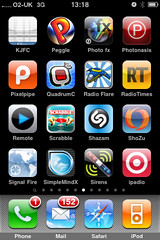
Screen 6...

... starts with another weblink which will be of little interest to anyone unless they are Under 8 and want beating by my son's football team ;)

Peggle, is a simple, fairly nice-looking game for passing an idle few minutes. You'll have gathered by now that whilst I like the idea of games, I rarely devote much time to playing them. Sorry about that.

Photofx, does what it says on the tin and is a handy addition to the photography apps I already have as it has pages of interesting filters grouped into different categories including Face, Fun, Wild, Classic, Lens, Portrait etc.

Photonasis is more limited and reminds me of the basic photo-editing software that you sometimes get on non-smart-phones, i.e. noddy UI and basic filters. Still, it's OK. I haven't ditched it yet.

Pixelpipe frustrates me to bits. It's meant to let you quickly and easily upload photos direct to blogs, social networks etc, but whenever I fire it up it seems to insist on scanning my entire photolibrary for me to select from which takes f o r e v e r ! Why it assumes that I might wish to upload my entire collection everytime I open it I have no idea, but I rarely get this app passed egg-timer (spinning-wheel?) mode. I've upgraded, reinstalled, you name it, but the early Twitter support I received from @pixelpipe went along the lines of 'no-one else seems to have a problem' and got me nowhere. Given that I have lots of alternative tools for uploading media from my iPhone, this app will be in the dumper soon. Thanks for coming.

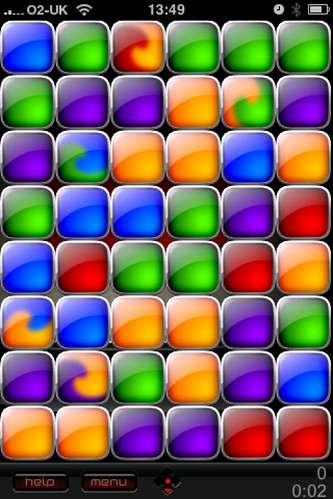
Quadrum C - another time-passing game where you move brightly coloured bricks around until you get enough of them linked together in a chain for them to disappear, with the aim of clearing the board. Whilst I don't profess to playing this much, it is one of my most used game apps.


Radio Flare is a nice cartoonified 2D arcade game with a decent soundtrack. I should play this more than I do. Obviously.


Radio Times is a very well-put-together app which features all of the programme guide information from the Radio Times magazine. You can customize your channel listings based on your satellite, cable, terrestrial provider as well as slicing and dicing by category... Sport, Films etc. It's handy if you want to know more than just what is on and when (if that is all you need there are simpler faster-running apps). It's also integrated with Twitter and Facebook if you fancy sharing details of your programme choice, which you can star/favourite. Early on there was a suggestion that the app will tie up with Sky to enable you to set your Sky+ recorder directly from this app than from the standalone iPhone apps which offer this service. (more later) No sign of this yet, unless I've missed it.

Remote, lets you use your iPhone as a remote control for your PC or Mac based iTunes library via your home wifi network. Pretty easy to set up and effective too... on screen, the details of the entire library are presented to you in just the same way as if they were on your phone's internal player, cover-art and all.

Scrabble I hardly need to explain. It has more going on than many of the games on my phone. Plus, I'm a wordy sort, so I do kill time I haven't got with this app on occasion. You can play two-player by wifi.

Shazam I've used since it came out. In other words, well before the iPhone. In those days (as with now on ordinary phones) you dialled a quick number before your phone could hear the tune you were listening to. Now this is all handled in the app which captures the sound, tries to identify it (it usually succeeds) and enables you to link to Last.fm to stream it or iTunes to buy it. The obligatory Twitter integration is there too. They've this week brought out a premium version, but with very few bells and whistles over and above what you get here, there's not much to recommend it yet. For now though, the basic Shazam app is essential.

ShoZu is, for me, more successful than Pixelpipe in enabling quick photo-uploads to a wide range of sites, including all the main blogging and social networking platforms as well as a raft of media brands inc BBC, CNN, ITV, all keen for you to send them your scoop 'from the scene' pictures of the latest happening. That said, I tend to use Flickr's own app (reviewed later) but keep this on stand-by in case I happen to see Britney slipping out of a limo in Huddersfield.

Signal Fire is another on of those geo-location non-apps. It doesn't seem to do anything other than capture your location, and enable you to mail a map reference to someone. It does fire up Brightkite if you want it to, but Brightkite does all this itself, so I'm not sure quite what it's USP is and will probably ditch it soon.

SimpleMindx is a basic mind-mapping to for creating brainstorm-like spidergrams on the fly (SPIDERGRAMS... ON THE FLY!!!). It's alright, but can be a bit like reading a newspaper through a keyhole.

Sirens is a daft application which plays a range of siren sounds from the US and Europe including police, fire and ambulance. Sounds stupid but it's ideal for encouraging toddlers to eat their lunch by suggesting that the Restaurant Police are pulling up outside. Invaluable. There's nothing like a fear culture to instill good old-fashioned family values.

iPadio is similar to AudioBoo but is gunning for a more corporate market. Being so used to AudioBoo I find the iPadio interface a bit baffling, along with its weird insistance on making an actual telephone-call. For me this is where AudioBoo wins hands down, in that they're not reliant on telephone-call audio quality. Yes you can use iPadio on any phone, but with the introduction of PhoneBoo, you can now do the same with AudioBoo. In fairness, I must do more with this to give it a real test.

Tuesday, 17 November 2009

Death By Powerpoint or Death OF Powerpoint?

0 comments
I've been trying out the fantastic Prezi.com which offers up a great way to create engaging and entertaining presentations without the routine bulletpoint-after-bulletpoint plod that we've all become usefd to. Once you've got up to speed on the videos and tutorials you are away.  It's easy to share and embed amazing presentations and, in digging around the site, I even found several useful Social Media presentations!  Here are a couple to check it out.  Tab through the presentation by pressing Play triangle.


Monday, 16 November 2009

Huddersfield Social Media Surgery

0 comments
 I've just dropped by the very first Huddersfield Social Media Surgery (#huddsms)  - couldn't really resist with it being on my doorstep.  I'm a bit late but its looking pretty busy, with a variety of local organisations popping in for help and advice.

Well done to the team for pulling this together!

Appetite... Part 5

0 comments
Screen 5...

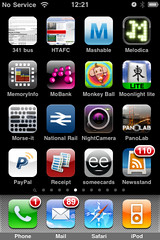
...starts with a web link to a PDF copy of the local bus timetable. This is of little use to anyone unless urban types want to have a laugh how long it takes to get from A to B in rural areas for extortionate amounts of money, whilst they're sat on their free trams.

HTAFC is a weblink to Huddersfield Town's website. I don't use this very often as I get Twitter updates as well as RSS feeds.

Mashable is a web app which brings together all the latest news and archived content from one of the major sources of Social Media goodness. It's quite nicely designed but, again, I rarely have cause to consult it as I read the Mashable Twitter and RSS feeds. I used to retweet a lot of Mashable posts until I realised that everyone else follows Mashable anyway.

Melodica was one of the first apps in the store to let budding amateur musicians, enthused by the possibility of Little Boots' Tenorion but unable to afford one, create some simple but effective melodies. I fire this app up quite a lot. The app has been updated with save options, different instruments for different moods and a method of sharing your melodies with other Melodica users.


MemoryInfo is absolutely essential for those moments when your iPhone seems to just grind to a halt. Increasingly, I find this happens after only a short while hopping from application to application, each activity leaving lots of stuff resident in memory and zapping your iPhone's performance. This app lets you stop all superfluous processes with a single click and voila, your phone is working at pace again. There are a number of similar apps in the store that do this kind of thing now. Some applications seem to suck of all of the available memory just to do their thing. NewsStand, which I cover below, was one of the worst offenders. However, I think there was a problem with the install of that app on my iPhone, because it has behaved itself since I deleted and reinstalled it. Alex at The Next Web has lost the will to live with his iPhone, partly around performance issues. Read his post here... it's very good.

MoBank is an app which encourages you to hand over all of the user names and passwords for your online banking accounts just so you can get a read only view of your balance and recent transactions in one place. What's more, it wants to charge you for the privilege. Within its little 'walled garden' you can also send people flowers via Interflora or chocolates via Thorntons... bless. This old-fashioned, design over content, paid-for, ecommerce portal approach reminds me of AOL and Compuserve's first forays into banking 10+ years ago. I keep this on my iPhone for research purposes only.

Monkey Ball is a game I quite enjoy on the big screen and it's implemented well here for the iPhone. That said, I rarely play it.

Moonlight is a Mah Jongg game of which there are many in the store. I like Mah Jongg, but I rarely play it.

Morse It is great even if you have only a passing interest in codes and cryptography, although day to day uses are few and far between. Play it a stream of Morse Code and it translates it into plain text right in front of your eyes. Similarly, it converts any text you write or copy into the app to Morse code which can then be flashed on screen or beeped to anyone who needs to receive it. I'd have given my right arm for this when I was 10. Now I only have to give 59p.

National Rail costs £4.99 and replaced a load of perfectly acceptable free and cheap apps which provided journey planning and timetable information for the UK rail network, which were 'cease and desist'ed out of existance. Nevertheless, the app is pretty useful if you are a digital nomad like wot I am. It even gives live updates of delays and details of the progress of the train you are on, or due to connect with.

Night Camera helps you take better, clearer photographs in dim lighting conditions. It does this by using the iPhone's accelerometer to only release the shutter when you are holding the phone perfectly still. You can tweak its sensitivity, use the built-in timer, change resolutions, use zoom or timers.

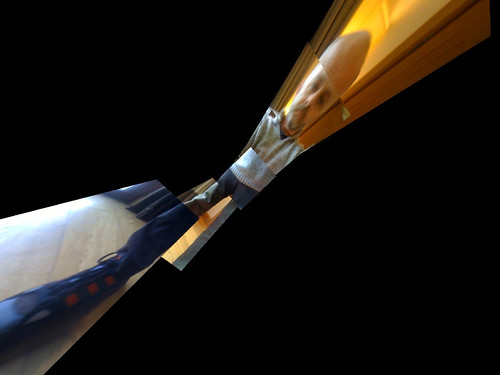
PanoLab is a photoapp which lets you stitch together photographs from your camera/photo library to create Hockney like panorama effects. You can see from my results how intuitive is isn't:

PayPal would let me log in and transfer money directly to other PayPal users if I so wished. It also lets me check balance, history etc, but as I tend to use PayPal as part of a store's online check-out mechanism I rarely need to access this.

Mobile Receipt is an app not dissimilar to the Business Card Scanner apps which allows you to photograph receipts, bills, invoices etc to creat expense claim forms with an image attached. There's no OCR magic going on here so you need to input expenditure details into the form yourself. A separate form is created for each item (which is irritating) so you can't easily group similar/related expenses into a single claim. Plus, it doesn't sequence with corporate expense claim processes (how could it?) so it's really one for self-employed consultants. Don't forget, a Griffin Clarifi case with its integrated close-up lens is essential for iPhone 2G and 3G users.

someecards lets you email pithy, nicely drawn ecards to friends and contacts. They've got in trouble once or twice from Apple for including cards in questionable taste. However, email as a mechanism for sending this kind of tat is so OLD. Why isn't this integrated with Twitter, Facebook etc?

NewsStand is my RSS feedreader of choice. It integrates directly into Google Reader which I use on the PC, so anything I've marked 'as read' or 'starred' in this app are synced directly across to Google Reader and vice versa.

I've had one or two mishaps with the app. When you first sync with Google Reader, any feeds set up in an old version of NewsStand overwrite anything newer in Google Reader. When I did this, I didn't realise how comfortable I'd become with my chosen RSS feeds and how annoying it was to have to try to remember and rebuild them all. The other main gripe is that it can get itself confused and start sucking the iPhone's memory dry, sometimes requiring a fresh install. This is less problematic than it sounds and when it works well, NewsStand works very well, but I do keep a backup RSS reader tuned and ready to go on a later screen just in case. NewsStand includes some daft unnecessary 'newspaper' style graphics which can be switched off and ignored. Despite my gripes, I love this app and use it to share interesting stuff on Twitter as well as saving things to Delicious, Instapaper and other integrated tools.

Thursday, 12 November 2009

Appetite... Part 3

0 comments
Onto Screen Three...

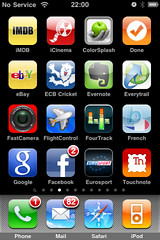
...which starts with a web link to the Internet Movie Database (IMDB)'s iphone-friendly site. This is a very well known and well established database for finding details about films, TV series, actors, directors etc etc. It get used most often in our house to settle arguments which tend to start with 'I'm sure I've seen her in something!' Of course, the answer is nearly always The Bill.

iCinema is another weblink. Very handy when you need to find out what films are on at local cinemas, starting times etc. The site even links through to IMDB reviews and even trailers. Trying it right now though I can't get any results at all, so I'm wondering of they were leeching someone else's data and have been 'cease and desist'ed... so maybe this one is no more.

ColorSplash is another great additon to my photoapps collection. It enable you to create striking effects by leaving only selected elements of a photograph in bright colour, whilst the rest goes monochrome. Here's an example where I've cludged together this effect with a filter from the CameraBag app:


Done is a very simple planning tool. I must have tried tens, if not hundreds of planning tools/To Do list applications on different devices over the years and most of them, rather than helping you free up time by being more organised actually suck time because you spend forever becoming a slave to their constant demands to reschedule, reprioritise, update, etc.

This one, Done, is as simple as they get and all the better for it. It lets you quickly add tasks, prioritise as 1, 2 or 3 and link it to a category such as Work, Home etc (you can set these). It lists them in priority order and you tick them when your done. Shake the phone and all completed tasks disappear. That's it! Beautifully limited.

eBay lets me check the progress of bids, sales, wins etc. I'm not a massive eBayer but we all know it has its uses. Most recently used to acquire a samba whistle to accompany me to A Certain Ratio's recent gig at the Band On The Wall.

ECB Cricket - I used this official scoreboard/news update service predominantly for the Ashes series, but keep it here as it includes news, photos, video and podcasts too. The real-time scoreboard is pretty nifty.

Evernote is one of my favourite apps as it lets me quickly capture notes, photos, sounds, weblinks etc and instantly sync them across various devices browsers. That said, I do get in a bit of a mess sometimes as I try to distinguish where this app sits alongside different but similar apps/services such as Delicious, InstaPaper, ReadItLater, etc (more of those later). I use them all but come back to this regularly.

Everytrail is a geo-locative tool which plots your progress in terms of distance, direction and altitude on a set journey... once you press Go it starts recording your location, updates your position on Google Maps and allows you to save it for future reference. As with other apps of this sort, it requires you to keep it open throughout the journey, so thanks to Apple you are thus prevented from using any other apps/tools whilst it's running, which is very frustrating. However, an even bigger problem is that the app requires data connectivity to constantly update your position which is fine unless you want to use it in a very rural area with spotty data availability... which is exactly where you will most likely want to use it. This kills things really as you can see from the map of my trip round Holme Styles reservoir in West Yorkshire. Patchy data updates make it look like I can walk on water. I'm good, but I'm not that good.


FastCamera another photoapp which tries to overcome the inbuilt 2G and 3G camera's inadequacies. It doesn't add much value and I can't remember what its benefits are meant to be now as it seems to do the same as the built-in app... I thought it was one that let you tap anywhere on the screen to take the shot rather than trying to find the the soft button but, it seems not. There are a billion photo-apps out there, some great, some less so. It's probably worth having a trawl through the App Store... prepare to kiss some frogs.

Flight Control is a well established addictive little game for killing time in those few minutes you have spare when in the dentist's waiting room or on the bus. Alternatively, if you are a student, you might wish to play this all day. You have to create safe flight paths for a sky-full of catastrophe-bound planes and helicopters. It's not bad. It gets regularly updated with new airfields upon which to land your tiny aircraft. It even tweets your high scores which, in my case, is a highly embarrassing feature. Not as popular as it was and now accompanied by several 'me-too' clones. I keep it around for old times' sake but rarely play it.

Four Track is a pretty sophisticated four-track porta-studio application which lets you create quick, simple and surprisingly effective multi-track recordings on the fly. Twinned with a decent microphone such as the Blue Mikey, this app can be used to create pretty decent demos should the muse take you when you're not ensconced in Abbey Road.

Byki French is a pretty good learning aid for those trying to improve their French language skills. It focuses on listening and repetition and incorporates a wide range of vocab for use in different situations. It tracks your progress, so you can use it as a learning programme in its own right. It is even integrated with Twitter so you can find real time examples of how words and phrases are being used in live conversation.

This is the standard Google app for the iPhone which is a one-stop springboard for most of the major Google services and apps. It includes Voice Search which doesn't work too well if you are British unless you are Hugh Laurie.

Facebook - I'm not an avid Facebooker but do use this to check up on my friends who either don't use Twitter or who use Facebook for different content. The UI has been improved but still isn't great. That said, it is still probably better than the web-based UI. I still get amazed by what people share. Twitter is, I find, more circumspect.

Eurosport - Nice to have, but seldom used. Much like the TV channel itself. To be fair, it isn't bad, but between Sky, BBC and RSS feeds, I tend to be up to date on the sports news that is important to me.

Touchnote - The fact this this app is only on Screen 3 on my iPhone might suggest I've had it a while. I haven't, it's just settled there in place of an old app I've got shut of. Now, I really like Touchnote. It lets you turn any photo from your camera or photo-library into a real postcard which is then printed locally and sent to its destination address along with your accompanying message the very next day. It even includes a little Googlemap pin showing the location where the card has been sent from. To UK addresses each card costs £1.49 ($1.49 in the US) - instantly payable through PayPal, which sounds pricy, but if you think of what cards and stamps cost and add to that the degree of personalisation, customisation and rapid delivery this includes, I think it is competitive. I've seen the cards I sent recently to my parents and they are really nice quality.. almost plasticised. Check out their web-based service.

Right, Screen Four next...

Monday, 9 November 2009

Appetite... Part 2

0 comments
In the second of this short series, we'll take a quick whizz through another bunch of applications currently taking residence on my iPhone. Today...

...Screen Two

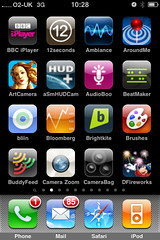
Firstly, BBC iPlayer. I should point out that this isn't really a stand-alone app but rather web-link saved onto my home-page which fires up Safari and opens up the mobile interface to BBC iPlayer. The content available mirrors that available on PC, PS3 etc, i.e. the last seven days' TV and selected radio highlights from BBC channels. Delivery is pretty good but is, of course, down to your 3G/WiFi bandwidth. Given my rural location and BT's spotty WiFi broadband provision outide of urban areas, I tend to get quite a bit of stopping and starting. This mobile interface has been around for some months but word is getting around.

Second up, 12 Seconds. As I have an iPhone 3G rather than a 3GS, I'm still restricted to a version of this social app which creates a 12 second-long video snippet by cludging together three still photos from the onboard camera or photo-library with some freshly recorded audio. On other devices, you can create these little snippets using actual video footage. That said, there is something pleasing about the effects that these mini-montages can create and, whilst I don't use it very often, I keep the app around just in case. 12 Seconds is integrated into Tweetdeck's desktop app too. It also sends a tweet when you upload an new instalment. Here's one of mine that I quite like.


[iPhone] Three man cuppies and a manic street preacher on 12seconds.tv

Ambiance - For some reason I love this app. Basically, it's a sort of iTunes store for everyday, ambient background sounds. So everything from whalesong, rainfall, busy football stadia, birdlife is in there. Everything is well recorded, the accompanying photos are top quality and the looping required to enable you to listen to an endless stream of soothing noise without pops and clickcsis seemless. Once you've acquired the app, individual sounds are free. The library is extensive and regularly updated and the app itself is frequently refreshed with improved look'n'feel updates and additional social hooks. It's not for everyone but I like it a lot. One of my favourite sounds is of the inside of a busy commuter train carriage. I often listen to this when I am in a busy commuter train carriage just to be post-modern.

Around Me - This might get dumped soon. There's nothing wrong with the app at all. It uses your current location to highlight and direct you local amenities via Google maps. Fair enough, but given the pace of development in the geo-locative world, it seems a bit humdrum now.

Art Camera - I dislike this app's name and icon as well as the UI design of the app itself. Nevertheless, it has a really great selection of filters which you can apply to your library of photos to achieve a wide range of quick and easy effects, several based on the styles of named artists - hence the app's name. New filters are added from time to time and whilst I've augmented my photo-app collection, I don't plan on getting ride of this one despite some downsides.

HUD+ was one of the first Heads-Up Display type apps to hit the app store and I confess to have being intrigued at the prospect of lying my iPhone face-up on the dash and reading a heads-up display of relevant metrics in the windscreen whilst driving along. It works and the phone's GPS means it displays your speed and position as set against speed-cameras etc, but in reality I seldom use it... mainly because I don't want my phone rattling around the dashboard. The app is regularly updated but I haven't explored the updates in any great depth.


AudioBoo
has got to be one of my absolute favourite applications and I am not alone. This mini-social-podcasting tool has received lots of rave coverage and is an essential for anyone's iPhone. Dead easy to use and powerful too. Here are a couple of my efforts:


Listen!

Listen!

Beatmaker is a mid-price music app for building some pretty amazing sequences from the loops and samples provided. It sounds great through good quality headphones and allows you to create, save and edit. As with many PC/Mac based sequencing tools you could end up investing lots of time learning how to construct elaborate tunes... on the other hand you could just load up one of the many standard kits and use the pads interface and tinker about happily for ages.

Bliin - Still giving this house-room but it is a Dutch geo-location tool that smacks of under-investment. They presented at Futuresonic 09. Not sure what their plans are but they are rapidly being surpassed by newer fancier tools. Bliin updates your location live as you move around, but you have to leave the app open so... not so great.

Bloomberg - See my comments about shares on my 'iPhone homepage 1' post about the Stocks app. The same applies, here. However, this app is pretty slick and integrates stock search functionality with text and audio newsfeeds.

Brightkite - Now one of several geo-location tools which buddies up with social networking services such as Twitter to broadcast your location, along with some comments, pictures etc. Based on your GPS co-ordinates the app suggests local spot where you can 'check-in'. The selection is a bit random as it draws this data from a range of public domain data sources. Losing out to Gowalla and Foursquare right now, more of which later.

Brushes - a pretty simplistic paintbox application... one of the first to hit the app store, but now accompanied by several others, some of which are better, eg SketchBook (more later). I keep it here because it's a simple way for toddlers to amuse themselves when in restaurants.

BuddyFeed - A iPhone client for FriendFeed. Don't use this that often, especially whilst the world waits to see what Facebook does with FriendFeed since the acquisition in the summer. FriendFeed itself is a good tool for live-blogging events in a way which doesn't spam all of your followers including those who might not have in interest in the specific event. This kind of functionality is being superceded by the likes of Posterous and, potentially, GoogleWave, whilst Facebook fanny about.

Camera Zoom - Another photo app designed to compensate for the woefully underspec'd camera built into the iPhone 2G and 3G models. This one enables a crude zoom function which then does its best to sharpen up the selected area. It's OK. Tries to make the best of a bad job.

CameraBag - Another photo-app with some simple but nifty filters built-in to enable you to quickly create some great effects. Quite a bit different to those available in ArtCamera, plus a much nicer UI.

DFireworks - A simple Disney Firework-exploding game for young children. Another basic, easy-to-use distraction mechanism for bored children.

Onto Page Three of my iPhone homescreen next...

Sunday, 8 November 2009

I Think I'll Call You... Appetite

0 comments
This could well be of little interest to anyone, but, in the first of a short series, I thought I’d do a quick rundown of the many apps I’m currently giving house room to on my iPhone, one screen at a time.

Screen One

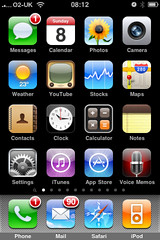
Not that much to say about the main home screen as most of these apps are fixed and shared by everyone. You’ll see that I’ve left the fixed bar at the bottom of the screen untouched. It’s tempting to swap in a Twitter application or even Spotify but the fact is, I access Phone, Mail, Safari and my iTunes library just as much.

Some brief comments on the rest. Messages I do actually use although I never ever get anywhere near to the limit of my bundled free texts from O2. I used to have a separate paid-for and pre-loaded MMS app before it got bundled into the OS as standard but occasionally I now use Messages to send pictures to people who don’t regularly access Twitter, Flickr or email.

Calendar is pretty rudimentary, although it is hooked into my Google Calendar. However, my Google Calendar isn’t synced to my work’s Lotus Notes/Blackberry calendar as corporate security wrappers put this firmly in the ‘too hard’ box. Therefore, this calendar tells me everything I’m doing at evenings and weekends, but gives no clue as to where I am or what I’m doing during weekdays. This is less than ideal as you can imagine. I suppose it’s my fault for being Timmy Two Phones.

Photos - I currently have 1051 photographs in here dating from my very first iPhone. They’re backed up elsewhere but I keep them here as they tell quite a nice chronological story which is good for the odd peruse when bored. As well as photographs I’ve taken, are others I’ve tinkered with using ‘photoshop’ type apps (of which, more later), pictures I’ve saved from the web, screen-grabs and email attachments.

Camera – well my iPhone is a 3G not a 3GS, so I needn’t detail the constraints here. Recent software upgrades have, I think, made the camera even slower to open up and operate than ever. Newer apps which really require a 3GS such as barcode scanners and business card scanners are a bit frustrating so I recently bought a Griffin Clarifi case for the phone which incorporates a neat little close up lens which slides across the main camera lens. This is a surprisingly effective and, given the limited range of new toys associated with the 3GS, represents a reasonably economical alternative upgrade.

Weather – I rarely consult this. Right now have have forecasts set up for Holmfirth, Huddersfield, Manchester, Liverpool, Holy Island, Blackpool, Birmingham and Ashford.

YouTube – I don’t often use this, mainly because of the frustrating lack of rural broadband bandwidth BT bless me with at home. If a ‘tinyurl’ in a tweet opens up this app, I tend to close it down before it starts.

Stocks – Whenever I’ve been given shares I’ve always sold them straight away as I consider them to be added stress. Therefore, I don’t have a great deal of personal interest in this app. It’s reasonably well done though so I’ll sometimes use it to look into the performance of companies I’m researching or who I’m working for or with.

Maps – Yes I use this pretty regularly, often for directions to and from West Yorkshire’s various junior football pitches. Google Streetview will grow increasingly essential as it becomes mashed-up into other augmented reality applications but, for now, I don’t often use it.

Contacts – I use this. Not much to say. My business card scanner apps integrate with it.

Clock – Yes, alarms. No surprises.

Calculator – I use this occasionally but often forget it’s there and fire up the rubbish Windows 3.1 calculator which still pollutes Vista on my laptop. I never use the scientific view which presents itself in landscape.

Notes – I do use this occasionally for shopping lists and the like, but I dislike the cutesy design. I prefer Evernote, but don’t necessarily need perpetual multi-device access to ‘Eggs, milk, toothpaste, Cheryl Cole CD’.

Settings – I’m in here quite a lot. It’s frustrating how some apps have all their mechanics in here whilst others handle it all in-app.

iTunes – I seem to be using this much less than I used to. I tend to browse favourite categories for new releases which I then scout for on Spotify. I used to buy and download straight to iPhone but regularly lost these tracks when syncing with my laptop which was a pain to resolve, so I don’t bother now, unless it’s a current podcast which is free and I don’t care about losing.

AppStore – I browse this place more than I even used to peruse the iTunes store. I’m forever scouting just-released apps esp in the Social Networking, Utilities, Productivity, Music and Photography sections amongst all others. I frequently acquire free/cheap apps to have a play. Few of them stick around for long. They all used to be 'for peanuts' and quick to download, now some are prohibitively expensive or prohibitively huge in terms of file size.

Voice Memos – I rarely use this as, prior to its inclusion in the standard OS I’d already acquired a pretty decent voice recorder which I prefer. Mrs D uses this on her iPhone… she recorded a script she need to deliver at an audition and relistened to it as a means of rehearsing on the fly.

Next... Screen Two.